

Walk onto most small machine-shop floors and the real system is a whiteboard, a stack of paper travelers, and the memory of whoever has been there longest. Which machine is running what? Is the 2 p.m. job going to ship today? Which material lot went into that order? The answers exist, but they're spread across clipboards, spreadsheets and the accounting system, and asking them takes someone off the floor.
For Brookline Industries we built one shop-floor system that connects orders, travelers, machines, quality and accounting, running on a server in the shop. It is Brookline's own system, not a product for sale; we share it here as an example of what we build.
At a glance
| Client | Brookline Industries, a Chicago precision machining and door-hardware manufacturer |
| Industry | Precision CNC machining |
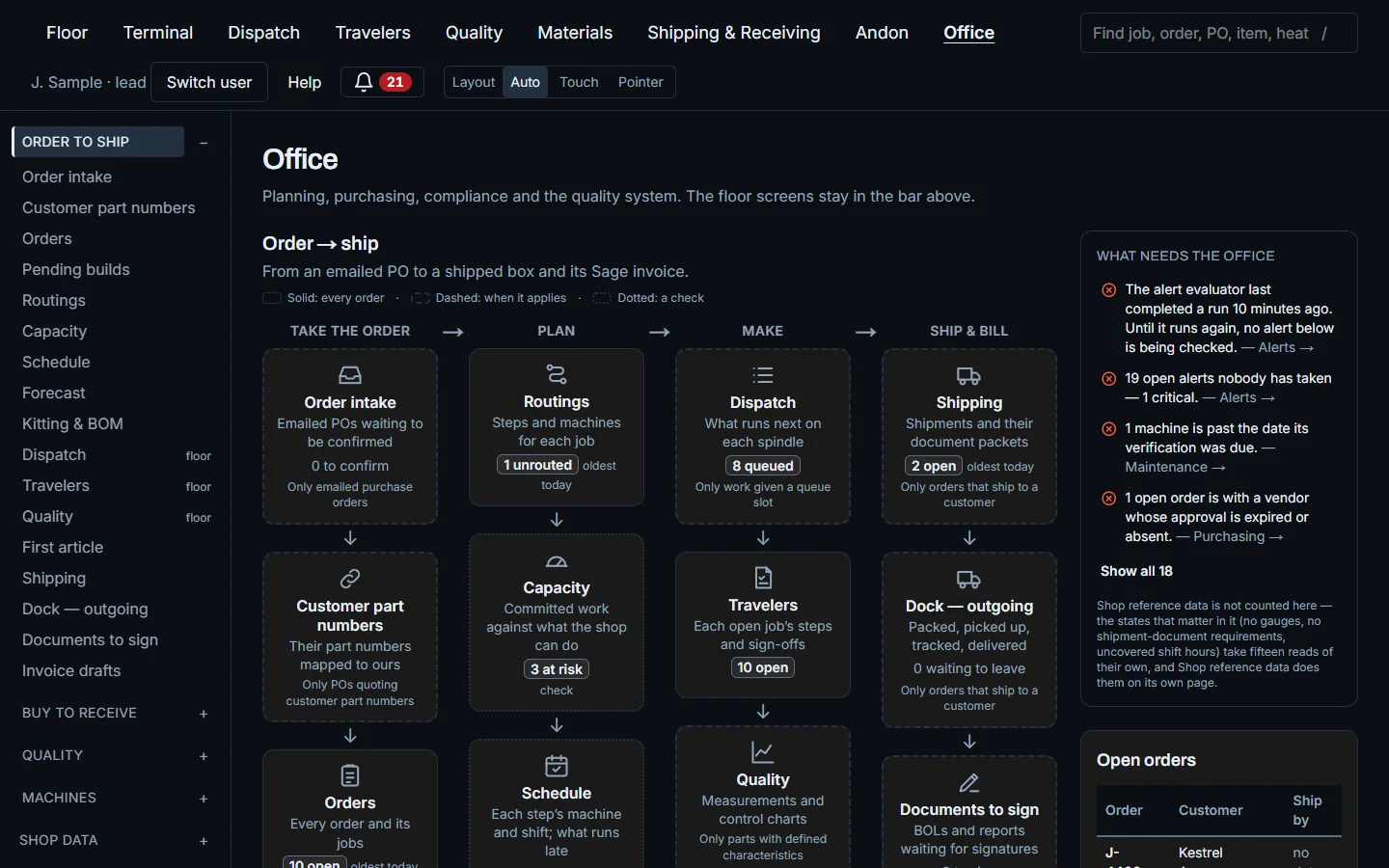
| What we built | A shop-floor ERP: orders and jobs, travelers and setup sheets, live machine status and utilization (OEE), dispatch and capacity, quality and SPC, materials and traceability, shipping and purchasing |
| Where AI fits | AI-assisted engineering built it, under strict tests. In the product, an AI Ask helper explains screens and procedures from the help pages. Everything that touches orders, machines and money is deterministic code |
| Status | Brookline Industries' shop-floor ERP, running on the shop's own network |
The old way
- Orders arrive by email and are re-typed into the accounting system and onto paper travelers.
- Dispatch is a whiteboard, updated when someone remembers.
- Machine status means walking the floor.
- Utilization, scrap and cycle times are guesses, or a spreadsheet nobody trusts.
- Material lots and inspection results live on paper, which makes traceability slow when a customer asks.
- Accounting entries are keyed into Sage 50 by hand.
What we built
- Orders become jobs. Purchase orders from a key customer's ordering system are read from the order mailbox and proposed as orders. Anything the system isn't sure of goes to "needs review", and a person confirms every order. Jobs, travelers and setup sheets follow.
- Machines report themselves. Haas controls report their status directly, and the system rolls machine events into hourly and daily utilization, with alerts.
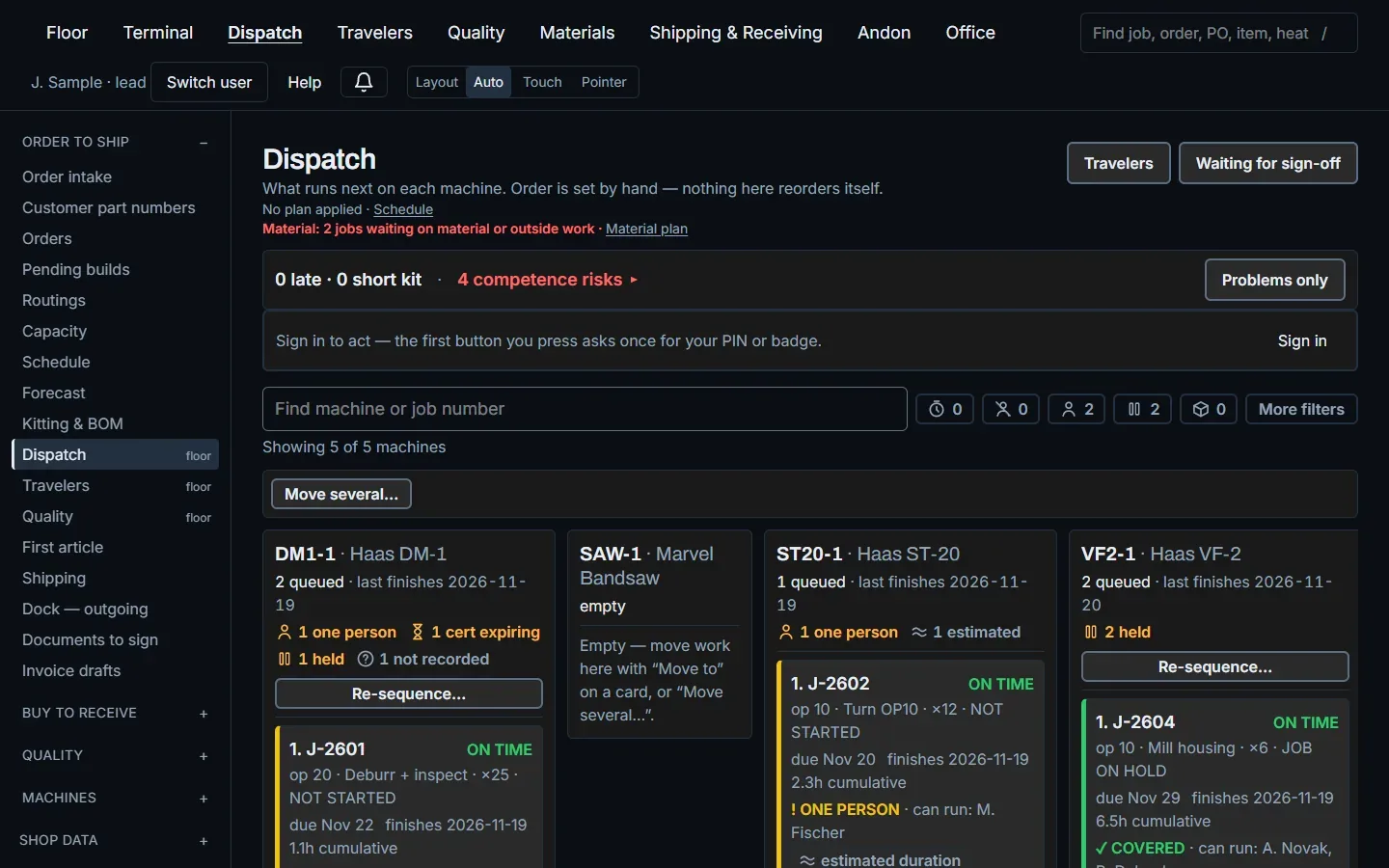
- Dispatch and capacity on screen. Floor terminals show what runs next on each machine. Office screens show capacity and what's at risk of shipping late.
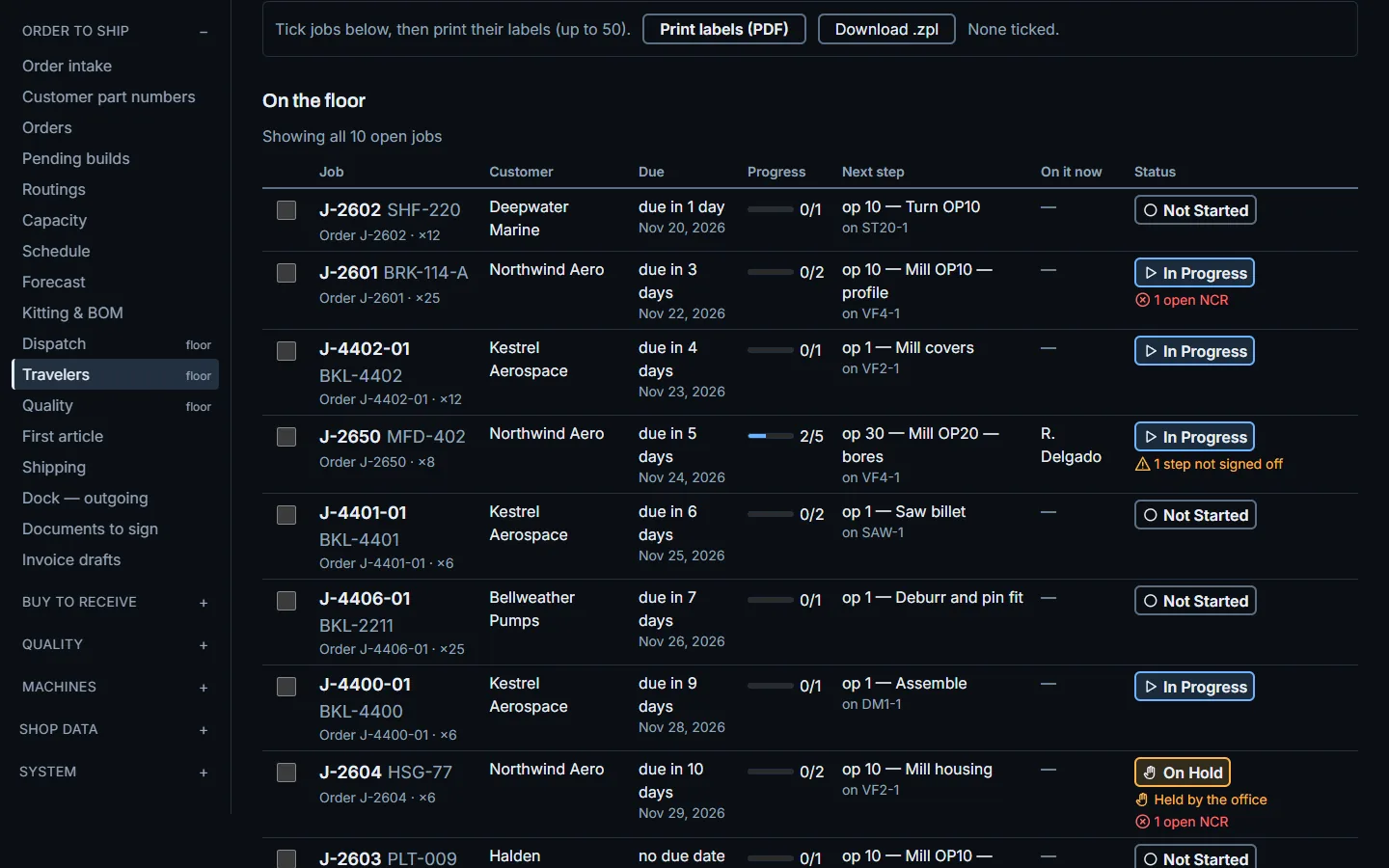
- Quality and traceability built in. Inspection results, SPC and material genealogy are recorded against the job, so "which lot went into this order?" is a lookup, not a search.
- Connected both ways. The system syncs with Cadence Forge, the quoting portal we built for machine shops, and posts to Sage 50 automatically, each entry exactly once.
How the workflow changes
| Step | Before | With the system |
|---|---|---|
| A new order | Re-typed from an email PDF | Read from the order mailbox and proposed for confirmation; unclear ones go to review |
| Paperwork for the floor | Hand-written travelers | Travelers and setup sheets generated from the job |
| Machine status | Walk the floor | Live status from the machine controls |
| What runs next | A whiteboard | A dispatch screen per machine, with capacity and late-risk |
| Utilization and OEE | Guesswork | Measured from machine events, hourly and daily |
| Traceability | Search the paper files | Material lots and inspections recorded against the job |
| Accounting entries | Keyed into Sage by hand | Posted automatically, exactly once |
Inside the build
Every screenshot here shows demo data, not customer data. Names, addresses, figures and documents are made up for illustration.
Under the hood
- Local-first. The whole system runs on a server in the shop. It's designed so the floor keeps working if the internet goes down.
- Read-only where it should be. Order intake only reads the mailbox, never changes it, and sends an order to review rather than guess when it isn't clear.
- Silence isn't mistaken for health. If a background job stops reporting, the system shows its data as stale rather than looking fine.
- Written procedures. Backup, disaster recovery and retiring a machine each have a written procedure.
By the numbers
In October we counted more than 3,000 automated test cases in the shop-floor system. It is developed alongside Cadence Forge, and the shared codebase had about 1,660 commits at the time of writing. The system also produces a daily management brief and compares each job's actual cost with its quote.
Example scenario
Example scenario (illustrative): A forty-person contract machine shop runs eleven CNC machines and a whiteboard. After installing a system like this on a server in the office, the morning starts differently. Overnight purchase orders are already read and waiting for confirmation. The dispatch screen shows that one machine sat idle for two hours yesterday waiting on material, and that Thursday's shipment is at risk. When a customer asks for the material certificate on last month's order, the quality lead finds it on the job record in under a minute.
What this means for your business
Most small manufacturers don't need a seven-figure ERP. They need the whiteboard, the travelers and the accounting entries connected, on hardware they control. We build that for:
- Job shops and contract manufacturers running CNC, fabrication or assembly.
- Plants with legacy machines that need live status and utilization without replacing equipment.
- Businesses on desktop accounting software (Sage, QuickBooks Desktop) that need safe, automatic postings without changing their books.
Second Voyage builds AI systems that are held to a standard you can check. about yours.