

In a job shop, a customer's 3D model is where the work starts, not where it ends. Someone has to read the part, decide how to hold it, pick tools, build toolpaths, post a program for the specific machine, and check that none of it will crash a spindle or scrap a billet. That CAM programming step is skilled, slow and hard to hire for, and it sits between every quote and every chip.
For a precision machine shop we built ProveOut, an AI agent that does that programming inside Fusion 360, from STEP file to posted Haas G-code, and has to pass six automatic inspections before a machinist ever sees the result. It started as an experiment in letting Claude design parts in Alibre Design.
At a glance
| Client | A precision machine shop |
| Industry | Precision CNC machining |
| What we built | An AI agent that operates Fusion 360 from STEP file to posted Haas G-code, plus a review dossier, behind six automatic quality gates |
| Where AI fits | An AI model operates the CAD/CAM software. Deterministic checks, not the AI, decide whether its work passes |
| Status | Runs live against Fusion 360 |
The old way
- A STEP file arrives with a quote request or purchase order.
- A programmer opens it in CAM software and works out the part: which holes, pockets and faces need which operations.
- They choose a setup, fixturing and tools, then build each toolpath by hand.
- They post G-code for the target machine and simulate it.
- They double-check dimensions against the drawing, often after something has already been built on top of a wrong assumption.
Every part takes the full sequence, the knowledge lives in a few people's heads, and the most expensive mistakes are found at the machine.
What we built
The agent gets hands inside the shop's CAD/CAM software and a rulebook it can't skip.
- It started with design. The first version let the AI build parts in Alibre Design, a desktop CAD package, one sketch and one feature at a time, measuring size, volume and face count after every step, and repairing and retrying when something went wrong. That working method carried over.
- A bridge into Fusion 360. We built an add-in that lives inside Fusion, carries out the agent's commands, then measures the result and reports back.
- A six-stage cycle. Every job moves through spec intake, design review, build, verify, reflect, and CAM and release. Each stage ends in an automatic gate that can stop the job before a person spends time on it.
- A catalog of past mistakes. Every failure that slipped through the earlier Alibre version was written into a catalog of thirteen classes of oversight, and each one now has a guard.
- A review dossier. Every job ends with posted G-code plus a readable report of what the agent did, what it measured and why it thinks the part is right, so a machinist can review it quickly rather than redo it.
How the workflow changes
| Step | Before | With the agent |
|---|---|---|
| Understanding the part | A programmer reads the model and drawing | The agent extracts features and checks them against the stated spec before modeling anything |
| Planning setups and tools | Done by hand from experience | Proposed by the agent, then checked by a design-review gate for makeability |
| Building toolpaths | Click-by-click in CAM | Built by the agent, with measurements taken as it goes rather than at the end |
| Posting G-code | Post, then hope the simulation catches problems | Posted, then checked against the target machine's limits, for example a part too large to swing on the lathe |
| Checking the result | A second person re-checks | A verify gate compares the built part to the spec. A reflect stage hunts for what the checks missed |
| Sign-off | The programmer's judgment | A machinist reviews a dossier, rather than starting from a blank screen |
Inside the build
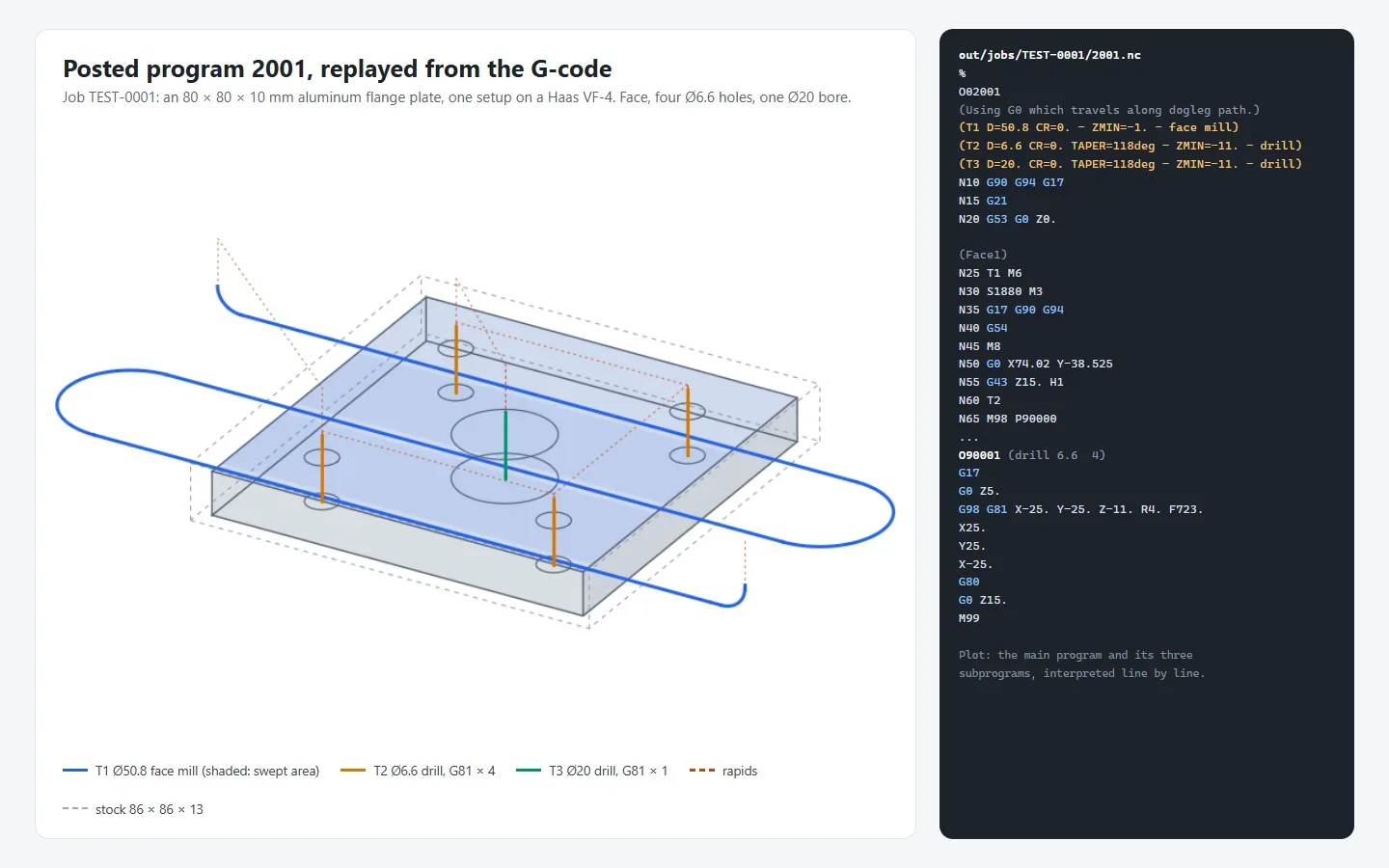
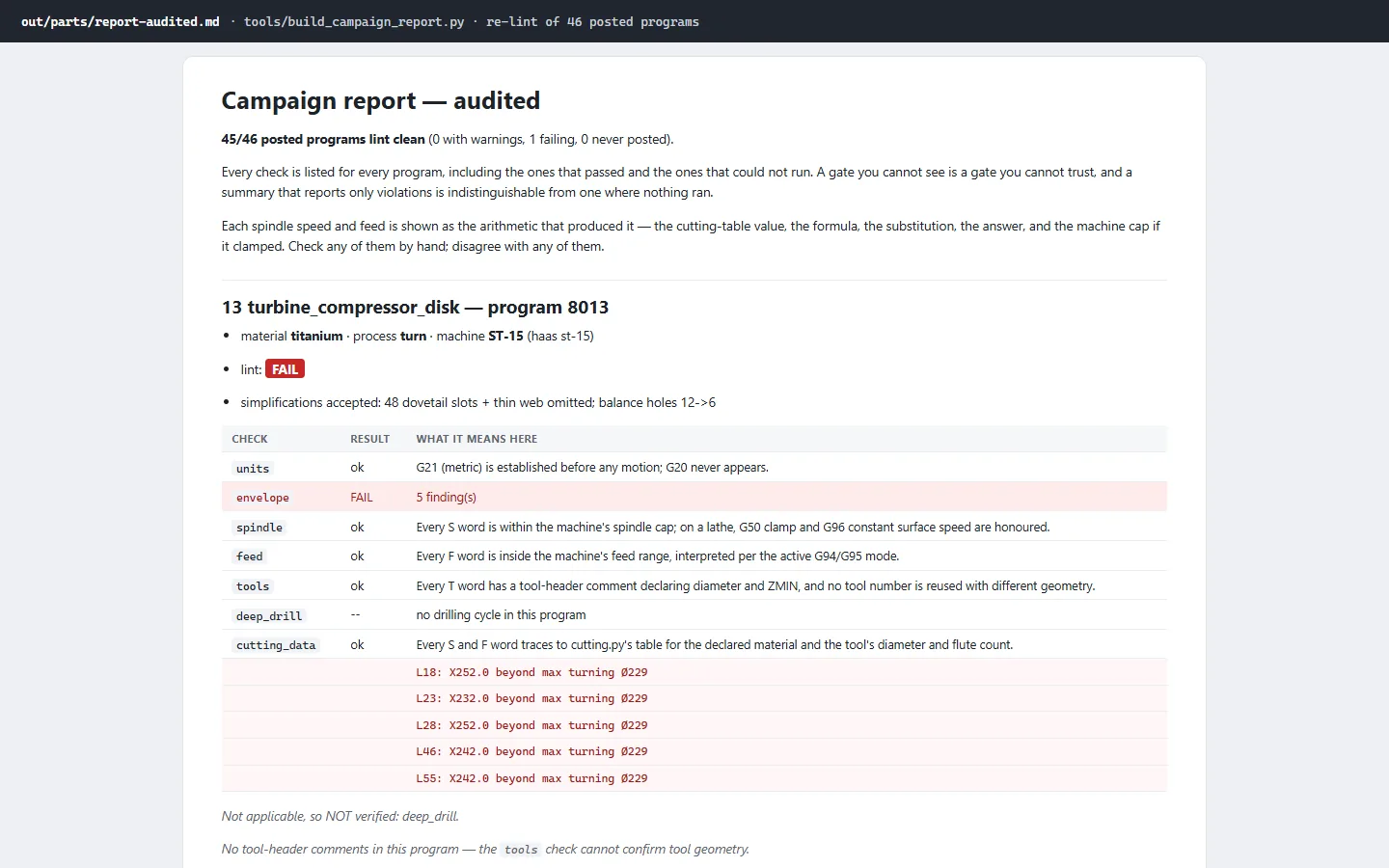
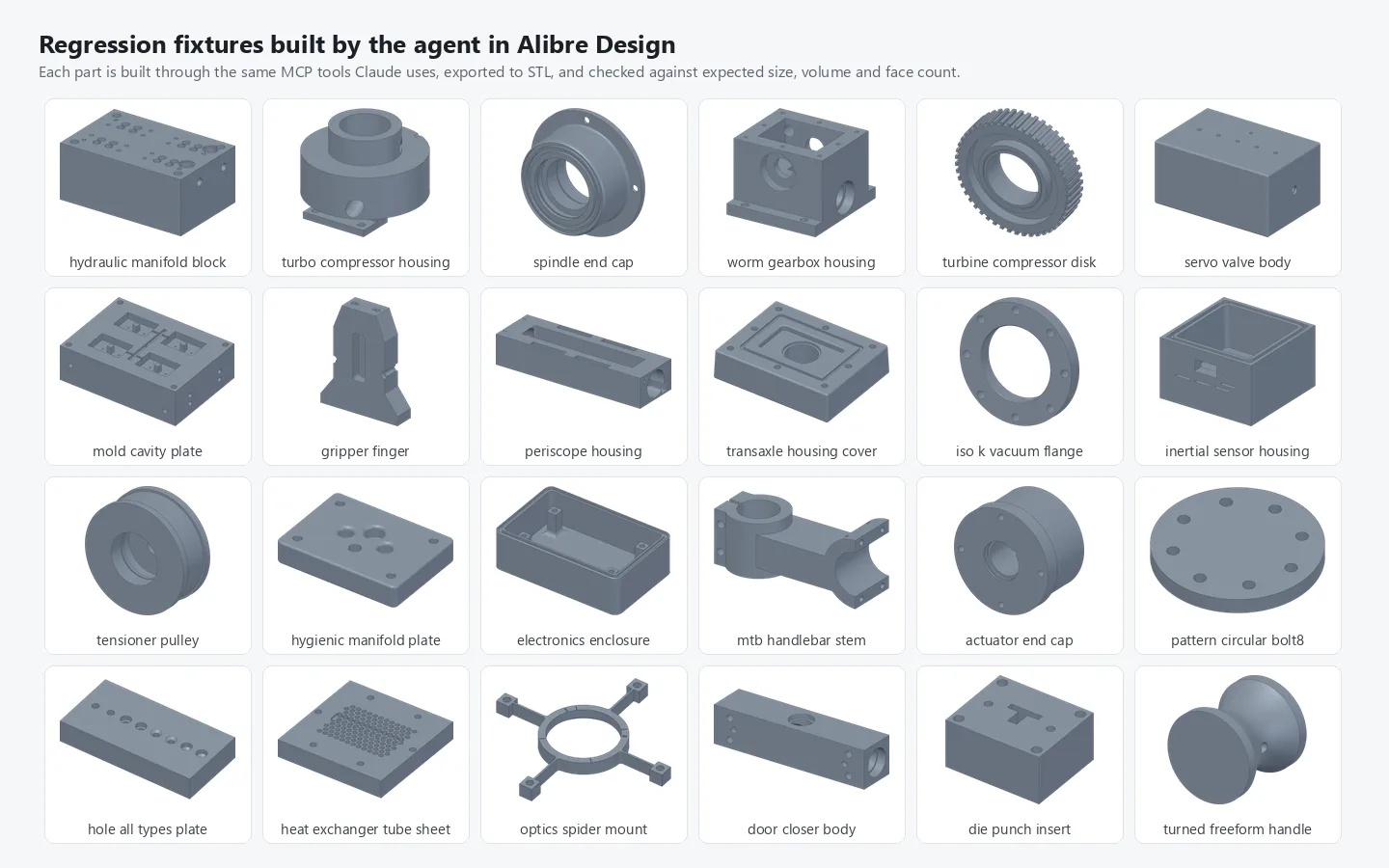
These screenshots show test parts and test jobs from our own suite, not customer parts or data.
Under the hood
- Deterministic judges for non-deterministic work. The AI does the work. Plain, testable code decides whether the work passes. That split is why this is safe to put near a machine.
- Measured after every step. The agent never builds on an unchecked assumption: size, volume and features are compared with the intent as it goes, not only at the end.
- Written against the software's real behavior. We verified how Fusion actually behaves, including things its documentation doesn't mention, and the agent is built on those findings rather than on assumptions.
- It survives Fusion updating itself. Fusion auto-updates. The whole 46-part campaign was re-run on the new version to keep the baseline on one software version.
- It caught a mistake in its own checks. Re-checking old programs exposed a false positive in one of our own gates, which was corrected and recorded.
By the numbers
At the time of writing, the agent runs live against Fusion 360 with the Manufacturing Extension:
- 46 of 46 parts passed the full CAD+CAM campaign, with no failures and no hangs.
- 46 of 46 passed a blind evaluation on four measures: holes found, process class, feature coverage and plan validity.
- 45 of 46 fresh programs passed the machine-limit checks. The one failure is genuine: a 220 mm disk too large to swing on the shop's lathe, which is exactly what the check is for.
- 125 known parts and assemblies in the Alibre design regression suite, 46 of them from real design-for-manufacturing test specifications, built and measured by the agent, with assemblies checked for where each component actually ends up.
Example scenario
Example scenario (illustrative): A twelve-machine job shop gets thirty STEP files a week for low-volume prismatic parts, and its two CAM programmers are the bottleneck. With an agent like this, each file is run overnight: the agent proposes setups and tools, builds and verifies toolpaths, and posts programs that pass the checks for the shop's own machines. In the morning, the programmers open dossiers instead of blank screens, approve the routine jobs, and spend their time on the three parts that stopped the line, with each stop explained.
What this means for your business
The pattern is bigger than CNC: an AI operating expensive desktop software that has no proper API, held to automatic checks it can't talk its way past. It fits:
- Job shops and contract manufacturers, for CAM programming, setup sheets and quote preparation.
- Engineering firms, for repetitive CAD modeling and drawing checks.
- Any business running a Windows desktop application (ERP clients, analysis tools, design software) where staff spend hours on clicks a reliable agent could do.
Second Voyage builds AI systems that are held to a standard you can check. about yours.