
Speech therapy works on repetition, but the repetition mostly happens at home, between sessions, where the clinician can't hear it. Patients go home with a worksheet. Some practice, some don't, and some practice the wrong sound perfectly for a week. At the next session, the speech-language pathologist (SLP) spends the first ten minutes finding out what actually happened.
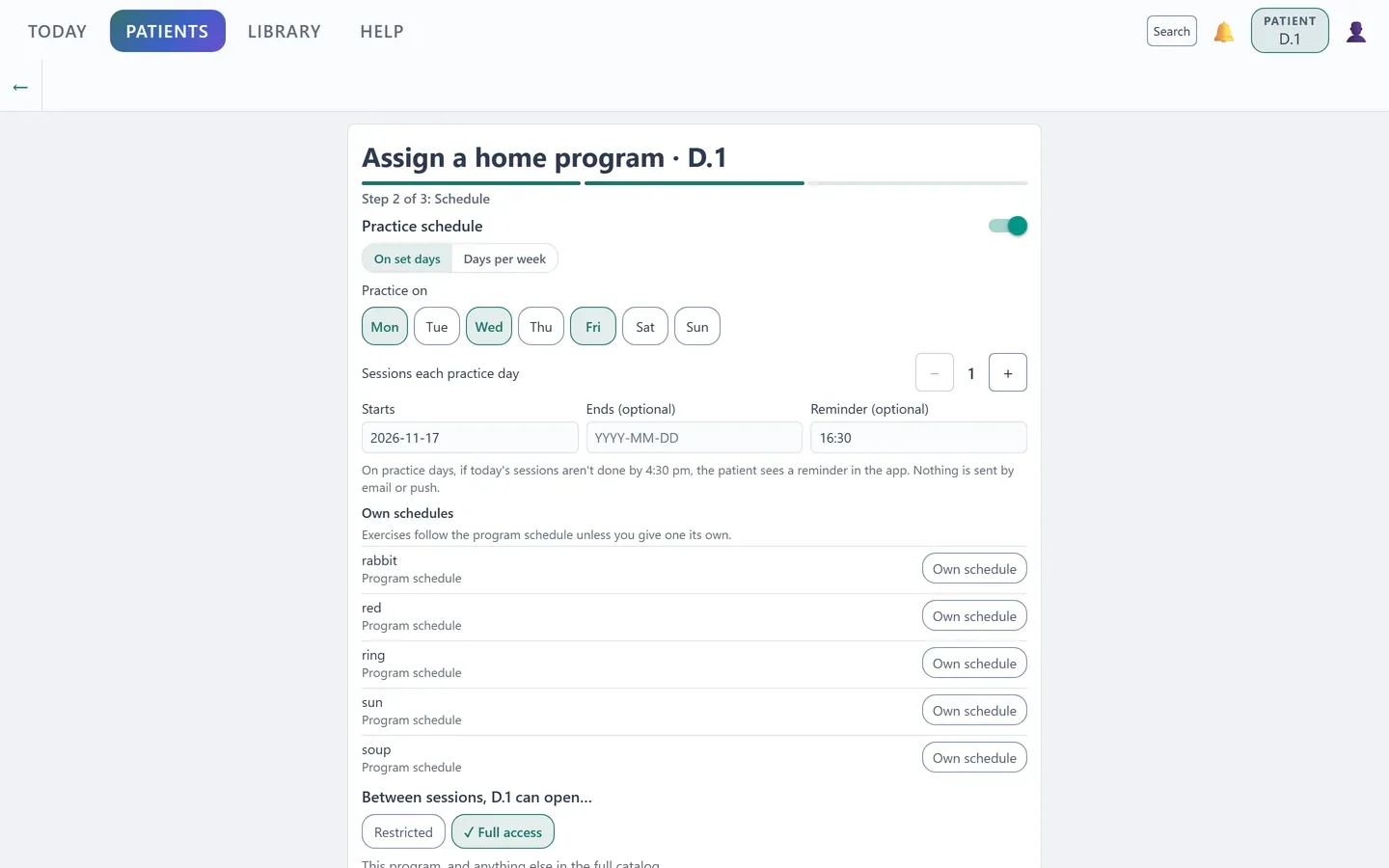
We built Foni with a practicing SLP, so the clinician assigns home practice in the app, the patient gets feedback on every take, and the clinician sees what happened before the next session. The scoring runs on the patient's own device, so their voice never has to be sent anywhere to be analyzed.
At a glance
| Client | Speech-language pathologists and their patients, built with a practicing SLP |
| Industry | Speech-language pathology: clinics, private practices and their patients (including children, through a guardian) |
| What we built | A home-practice platform: SLPs build programs, patients practice at home, every take is scored in the browser, and results flow back to the clinician |
| Where AI fits | A speech-recognition model runs on the patient's device to score pronunciation. Voice quality, speech rate and fluency are measured with acoustic analysis, and transcripts come from an on-device speech-to-text model. Neural text-to-speech produces the model clips |
| Status | A home-practice platform for SLPs, with on-device scoring |
The old way
- At the end of a session, the SLP hands over a printed list of words or sentences.
- The patient (or a parent) practices at home, with no feedback on whether each attempt was right.
- Practice logs, if kept, are filled in from memory.
- At the next session, the SLP re-assesses from scratch to find out what changed.
- Any app that "listens" usually uploads the recording to a cloud service to analyze it, which is a hard sell for a clinic handling patient audio.
What we built
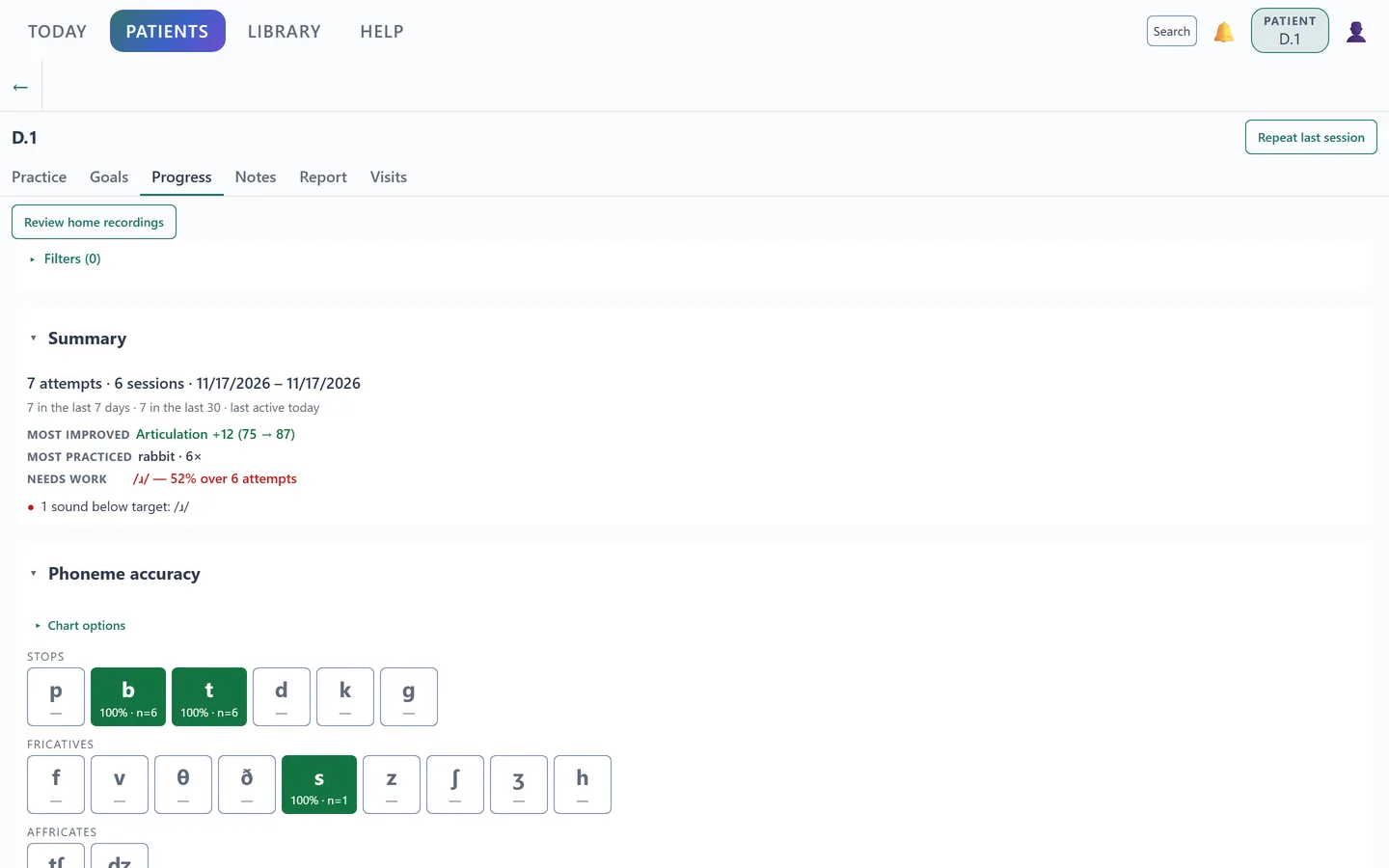
- For the clinician: caseloads, home programs with schedules and reminders, review screens with heatmaps and trends, SOAP notes with signing and amendment, care teams and supervision. A practice library of more than 10,000 exercises, each linked to a clinical taxonomy of 182 issues, plus the SLP's own exercises.
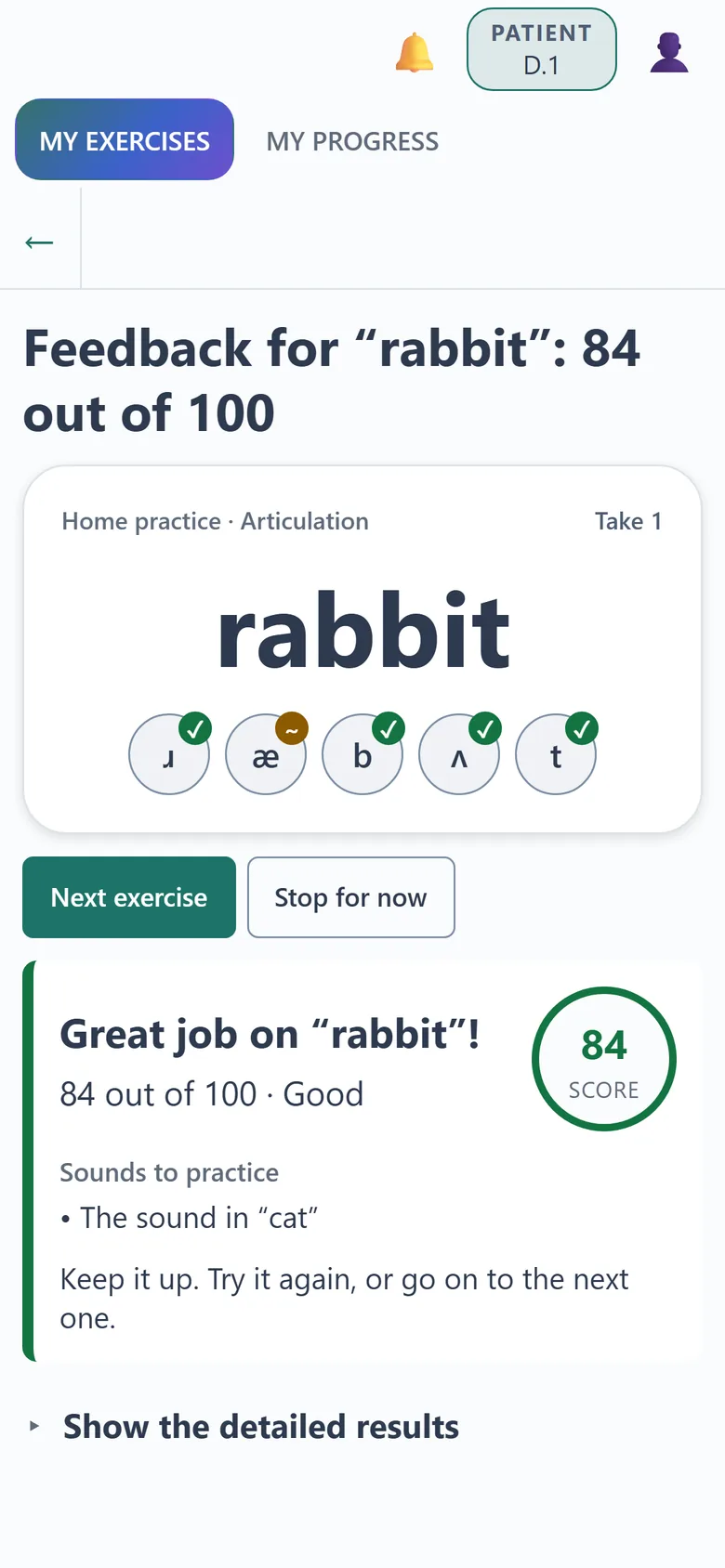
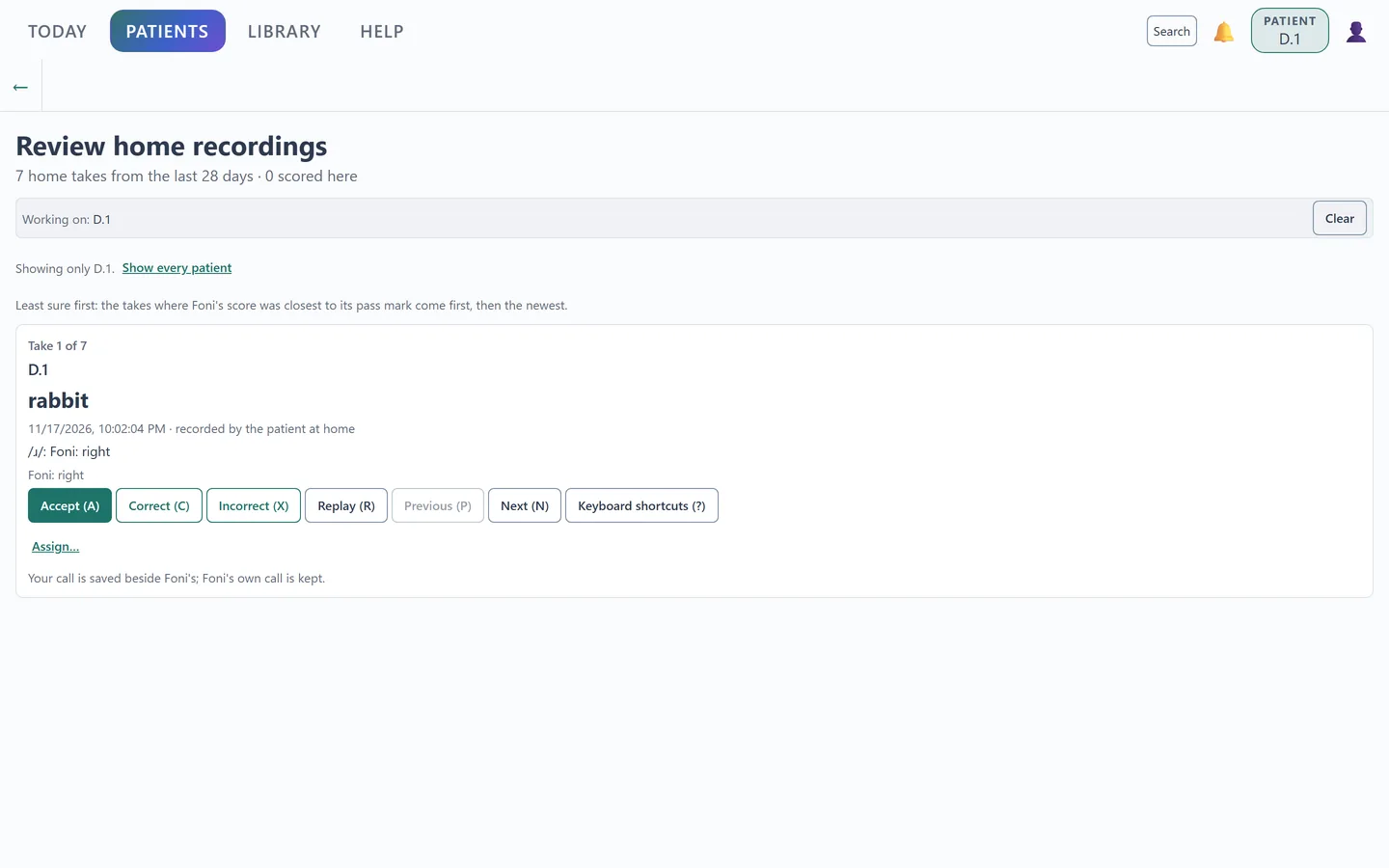
- For the patient (or guardian): assigned practice with model clips to listen to, recording, and feedback on each take. If the connection drops, the take is held on the device and uploaded later. Recordings can always be replayed.
- Scoring on the device. Articulation is scored by aligning the patient's speech to the target sounds with a speech model running in the browser. Voice quality (jitter, shimmer, harmonics-to-noise and CPPS), syllable rate and regularity, and disfluencies such as repetitions, prolongations and blocks are measured acoustically. No audio is sent anywhere to be scored. Recordings are uploaded, encrypted, only so the clinician can replay them.
How the workflow changes
| Step | Before | With Foni |
|---|---|---|
| Assigning homework | A printed worksheet | A home program with targets, schedule and reminders, built from a 10,000-exercise library or the SLP's own material |
| Practicing | Repeat words with no feedback | Hear a model clip, record a take, and get feedback on that take |
| Knowing practice happened | Ask at the next session | The clinician sees each take, when it happened, how it scored, and can replay it |
| Spotting trouble early | Discovered a week later in session | Heatmaps and trends point the SLP to the sounds and takes worth a listen |
| Session notes | Written apart from any practice record | SOAP notes written in the same place as the practice data, with signing and amendment |
| Patient privacy | Audio uploaded to be analyzed | Audio scored on the device. Recordings are stored encrypted per organization, for the clinician to replay |
Inside the build
Every screenshot here shows demo data, not customer data. Names, addresses, figures and documents are made up for illustration.
Under the hood
- Privacy by architecture, not policy. Because the scoring model runs in the browser, patient audio never has to leave the device to be scored.
- A clinician signs off every scoring change. New scoring models are evaluated on held-out data and then reviewed by an SLP. Nothing that affects scoring ships on metrics alone, and each released model can be reproduced exactly.
- Access enforced by the database. Who can see which patient's data is enforced by the database itself and covered by automated tests. Sign-in supports multi-factor authentication, and there's a full audit trail.
- Operational drills. Recovery procedures are documented and rehearsed.
- Built with HIPAA requirements in mind, including per-organization encryption of recordings.
By the numbers
At the time of writing, Foni has more than 1,700 commits, a library of 10,773 exercises mapped to 182 clinical issues, and thousands of automated tests across the app, the database and the scoring. Its scoring is a practice aid for the clinician, not a diagnostic tool.
Example scenario
Example scenario (illustrative): An SLP in a small pediatric practice assigns a seven-year-old a two-week home program on the "r" sound. Each evening, the child's parent signs in as guardian. The child hears a model clip and records five words. Before Thursday's session, the SLP opens the review screen, sees the child practiced on nine of ten days, and listens to the takes the app flagged, so the session starts from what actually happened at home instead of re-testing from scratch.
What this means for your business
Foni shows how to put useful AI into a privacy-sensitive workflow without shipping the sensitive data to the cloud for processing. The pattern fits:
- Telehealth and therapy providers that want between-session engagement they can actually see.
- Education and language-learning companies that need pronunciation or reading feedback.
- Any regulated business (health, finance, legal) that wants AI on sensitive audio, images or documents, with the processing kept on the user's device and a qualified professional signing off every model change.
Second Voyage builds AI systems that are held to a standard you can check. about yours.